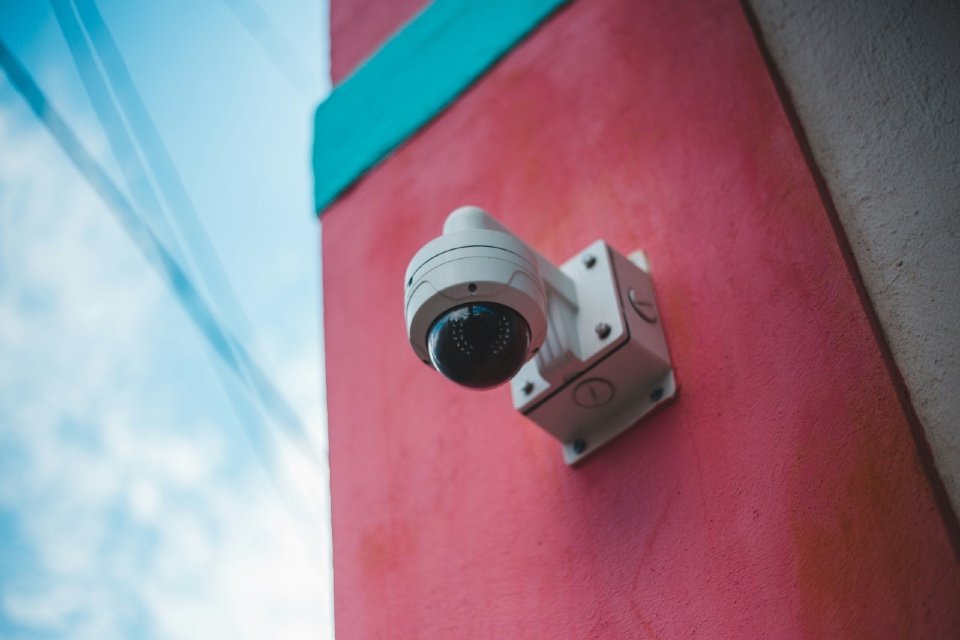





Modern physical security increasingly depends on connected technology. CCTV cameras, video management platforms, access control systems, intercoms and other security devices can communicate across corporate networks and connect to cloud services and remote management platforms. As explored in our earlier IP Security Systems: What Physical Security Teams Should Compare buyer’s guide, that connectivity creates powerful opportunities for integration and remote management, but it also introduces cybersecurity considerations.
Once connected security systems are installed, organisations therefore need to answer another question: How do we keep the technology protecting the building from becoming a security weakness itself?
Effective protection requires physical security and IT teams to treat connected devices as part of the organisation’s wider technology estate.
Know What Is Connected
The starting point is visibility.
Organisations should maintain an accurate inventory of connected physical security assets, including:
- CCTV cameras
- Network video recorders
- Access control panels
- Door controllers
- Intercoms
- Sensors
- Management servers
- Cloud-connected gateways
Useful records can include device type, manufacturer, model, location, IP address, firmware version and responsible owner.
Security Principle
You cannot secure a device effectively if nobody knows it is there.
This becomes particularly important across large or distributed estates where equipment may have been installed at different times by different contractors.
Change Default Credentials
Connected devices should never remain in operation with default or easily guessed passwords.
The UK’s National Cyber Security Centre advises organisations to change default passwords and ensure devices are configured securely.
Passwords should be:
- Unique
- Strong
- Appropriately controlled
- Changed where compromise is suspected
Shared administrator accounts should also be avoided where individual accounts can be provided.
NCSC – Device Security Guidance – https://www.ncsc.gov.uk/collection/device-security-guidance
Control Administrator Access
Not everybody using a physical security platform requires administrator privileges.
Security teams should apply least privilege, giving users only the access required for their role.
For example:
Security officer: view cameras and respond to alarms.
Supervisor: review footage and manage operational settings.
Administrator: configure devices, users and system-level settings.
Separating permissions reduces the potential impact of compromised accounts and accidental configuration changes.
Organisations should also periodically review who still requires access, particularly when employees or contractors change roles or leave.
Use Multi-Factor Authentication Where Available
Passwords provide one layer of protection.
Multi-factor authentication (MFA) adds another by requiring an additional method of verification.
It is particularly valuable for:
- Administrator accounts
- Cloud management portals
- Remote access
- Privileged users
Where security platforms support MFA, organisations should consider enabling it for sensitive accounts rather than relying solely on passwords.
Separate Security Devices from the Wider Network
Network segmentation can limit how freely connected security equipment communicates with other systems.
Rather than placing cameras, access controllers and office computers together on the same unrestricted network, organisations can create separate network segments and control traffic between them.
This can reduce the potential impact if a device is compromised.
Cybersecurity Insight
A camera may need to communicate with the video management system. It probably does not need unrestricted access to everything else on the corporate network.
Segmentation requirements should be agreed between physical security, IT and network specialists.
Keep Firmware and Software Updated
Like other connected technology, physical security devices can contain software vulnerabilities.
Manufacturers may release firmware or software updates to address them.
Organisations therefore need a process for:
Identify → assess → test → update → record
Simply knowing that an update exists is not enough.
Security teams should establish:
- Who monitors vendor notifications
- Who evaluates vulnerabilities
- Who approves updates
- Who installs them
- How completion is recorded
For larger estates, this should form part of a structured vulnerability and patch-management process.
Understand Product Support Lifecycles
An older camera may still produce a perfectly acceptable image.
But if the manufacturer no longer provides security updates, its cybersecurity risk may have changed.
When reviewing equipment, physical security teams should therefore consider:
- Firmware availability
- Security-update policy
- Product support dates
- Replacement options
This adds another dimension to lifecycle planning.
An asset may become obsolete from a cybersecurity perspective before it fails physically.
Secure Remote Access
Remote access can be extremely valuable.
Security teams, monitoring centres, maintenance providers and authorised managers may need to access systems without being physically present at the site.
But remote connectivity needs appropriate controls.
Consider:
- Who can connect
- How they authenticate
- Which systems they can reach
- Whether access is encrypted
- Whether activity is logged
- How third-party access is revoked
Providers such as G4S operate across integrated security and monitoring environments where physical technology, remote services and operational security increasingly intersect.
G4S – https://www.g4s.com/en-gb
Review Third-Party Access
Installers and maintenance providers may require privileged system access.
That access should not automatically remain available forever.
Organisations should know:
Which suppliers can access our security systems?
Which accounts do they use?
What can those accounts do?
When was access last reviewed?
Temporary access can be preferable where practical, with permissions enabled for a specific maintenance task and removed afterwards.
Supplier cybersecurity should also form part of procurement and contract discussions.
Disable Services You Don’t Need
Connected devices may support features or network services that an organisation never uses.
Leaving unnecessary services enabled can increase the potential attack surface.
During configuration, IT and security teams should review:
- Network services
- Remote management features
- Unused accounts
- Legacy protocols
- Unnecessary connectivity
The principle is straightforward:
If a function isn’t required, consider whether it needs to be enabled.
Protect Video and Access Data
Physical security systems can hold sensitive information.
CCTV platforms may contain identifiable video footage, while access control systems can reveal when individuals entered or left particular locations.
Organisations therefore need to consider both cybersecurity and data protection.
Controls can include:
- Appropriate user permissions
- Encryption
- Secure storage
- Retention policies
- Audit logs
- Controlled export of footage
The ICO provides dedicated guidance on video surveillance and the data-protection responsibilities associated with using surveillance systems.
ICO – Video Surveillance Guidance – https://ico.org.uk/for-organisations/uk-gdpr-guidance-and-resources/cctv-and-video-surveillance/
Monitor Security Systems for Unusual Activity
Connected physical security systems should not necessarily be invisible to wider cybersecurity monitoring.
Potential warning signs might include:
- Repeated failed logins
- Unexpected configuration changes
- New administrator accounts
- Devices communicating unexpectedly
- Unusual remote connections
- Cameras repeatedly going offline
Where technically appropriate, relevant security-system events can feed into wider organisational monitoring.
Platforms such as Solink combine video security with cloud-based management and operational capabilities, illustrating how physical security systems increasingly function as connected data platforms rather than isolated devices.
Solink – https://solink.com/
Build Cybersecurity into Physical Security Procurement
Many cybersecurity problems are easier to prevent during procurement than correct after installation.
When buying IP security systems, organisations should ask suppliers about:
- Security-update policies
- Default password handling
- MFA
- Encryption
- User permissions
- Logging
- Vulnerability disclosure
- Remote access
- Product support lifecycle
- Network requirements
Specialist security providers such as Lexnis can also form part of the wider conversation around designing and implementing security solutions appropriate to an organisation’s environment.
Lexnis – https://lexnis.com/
Cybersecurity should therefore be a buying criterion rather than an issue considered only after the system connects to the network.
Bring Physical Security and IT Together
Perhaps the most important organisational step is deciding who owns what.
Physical security teams understand:
Operational requirements, threats, sites and security processes.
IT and cybersecurity teams understand:
Networks, identity, vulnerabilities, access and monitoring.
Neither should work entirely independently when connected physical security systems are involved.
A useful responsibility model should establish who owns:
- Device inventory
- Network architecture
- Accounts
- Firmware updates
- Vulnerability management
- Remote access
- Incident response
- Replacement decisions
Governance Principle
Connected physical security is a shared responsibility between the people protecting the building and the people protecting the network.
A Practical IP Security Cybersecurity Checklist
Physical security teams should ask:
- Do we know every security device connected to the network?
- Have default passwords been changed?
- Are administrator privileges restricted?
- Is MFA enabled where appropriate?
- Are security devices appropriately segmented?
- Who monitors firmware and security updates?
- Are any devices no longer supported?
- Is remote access appropriately controlled?
- Which third parties can access our systems?
- Are unnecessary services disabled?
- Is video and access data adequately protected?
- Can suspicious activity be monitored?
- Are IT and physical security responsibilities clearly defined?
Frequently Asked Questions
Can CCTV cameras create cybersecurity risks?
Yes. Network-connected cameras are computing devices and can contain vulnerabilities or insecure configurations if they are not appropriately managed.
Should CCTV systems be on a separate network?
Network segmentation can help limit unnecessary communication between physical security devices and other corporate systems. The appropriate architecture should be determined with IT and cybersecurity specialists.
How often should CCTV firmware be updated?
Organisations should monitor manufacturer security information and assess relevant updates as part of their vulnerability and patch-management processes rather than relying on an arbitrary universal interval.
Who should be responsible for IP security system cybersecurity?
Responsibility is typically shared. Physical security teams understand operational requirements, while IT and cybersecurity teams provide expertise around networks, access, vulnerabilities and monitoring.
Product Guide
G4S
Global security provider delivering security personnel, technology, monitoring and integrated security solutions across commercial and public-sector environments.
Website: https://www.g4s.com/en-gb
Lexnis
UK security specialist supporting organisations with security technology and integrated solutions across physical-security environments.
Website: https://lexnis.com/
Solink
Cloud-based video security and operational intelligence platform combining video footage with wider business data to support security, investigation and operational visibility.
Website: https://solink.com/
From Physical Security to Cyber-Physical Security
Network connectivity has changed what it means to protect a physical security system.
A CCTV camera is still a camera.
An access controller still controls a door.
But once those devices communicate across networks and cloud platforms, their protection needs to extend beyond the physical environment.
The practical cycle becomes:
identify → configure → restrict → update → monitor → review
That does not mean physical security professionals need to become cybersecurity engineers.
It means recognising where the two disciplines meet and establishing shared responsibility with IT.
The Total Security Summit connects senior security professionals with carefully selected suppliers through pre-arranged one-to-one meetings, providing an opportunity to explore CCTV, access control, integrated security and wider physical-security technologies.
Related Reading
This article follows our earlier IP Security Systems: What Physical Security Teams Should Compare buyer’s guide, covering networked CCTV, access control, integration, scalability, cybersecurity and supplier evaluation.
Together, the two articles move from choosing connected physical security technology securely to protecting those systems throughout their operational life.
Sources
- National Cyber Security Centre – Device Security Guidance – https://www.ncsc.gov.uk/collection/device-security-guidance
- National Cyber Security Centre – 10 Steps to Cyber Security – https://www.ncsc.gov.uk/collection/10-steps
- National Cyber Security Centre – Vulnerability Management – https://www.ncsc.gov.uk/collection/vulnerability-management
- National Cyber Security Centre – Multi-Factor Authentication for Your Corporate Online Services – https://www.ncsc.gov.uk/guidance/multi-factor-authentication-online-services
- Information Commissioner’s Office – CCTV and Video Surveillance – https://ico.org.uk/for-organisations/uk-gdpr-guidance-and-resources/cctv-and-video-surveillance/
- G4S – https://www.g4s.com/en-gb
- Lexnis – https://lexnis.com/
- Solink – https://solink.com/
Image credit: Photo by Preillumination SeTh on Unsplash